Processing pipeline details
PETPrep adapts its pipeline depending on what data and metadata are available and are used as the input. Certain processing steps will run only when the required metadata is available in the input dataset. Before any subject-level workflow is initialized, PETPrep checks whether each selected subject has the required PET and T1w inputs. Subjects missing PET and/or T1w data are skipped, and a warning is issued at the start of the run. Processing continues for the remaining valid subjects.
A (very) high-level view of the simplest pipeline (for a single dataset with only a single tracer and single baseline) is presented below:
Note
Each node in this workflow is either a processing node or a sub-workflow. Several conventions appear in this workflow that will be apparent throughout PETPrep.
inputnodes are special nodes that provide the runtime-generated inputs to a workflow. These are like function “arguments”. There are correspondingoutputnodes in most other workflows, which are like function return values.Workflows end with
_wf, and are generated by a function of the forminit_{workflow}_wf. For example,anat_preproc_wfis a sub-workflow that is generated by theinit_anat_preproc_wf()(see below). Because each tracer/session/task/run of PET data is processed separately,init_pet_wf()names the resulting workflows using input parameters, resulting in names such aspet_task_{task}_run_{run}_wf.Datasinks begin with
ds_, and save files to the output directory. This is in contrast to most nodes, which save their outputs to the working directory.ds_report_nodes indicate that the node is saving text and figures for generating reports, rather than processed data.When a name appears in parentheses, such as
(reports)inabout (reports)it is the module where the interface is defined. In this case,aboutis anAboutSummary, found in thepetprep.interfaces.reportsmodule.
Preprocessing of structural MRI
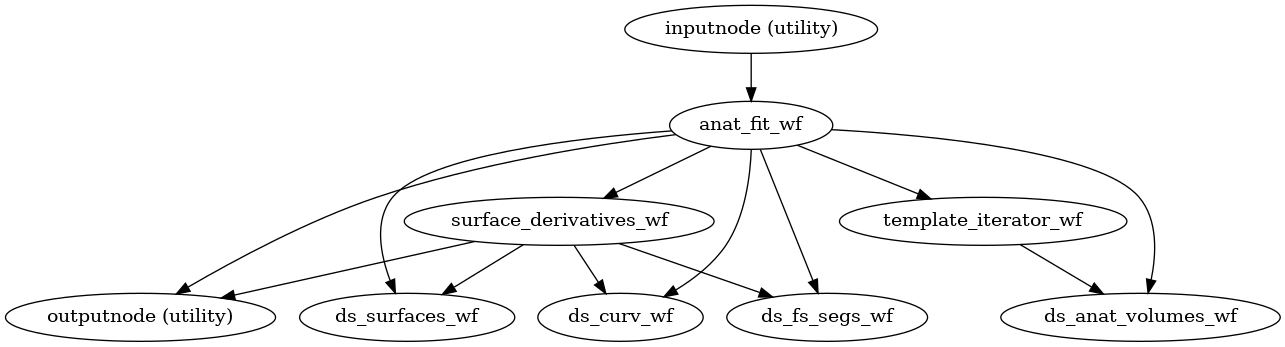
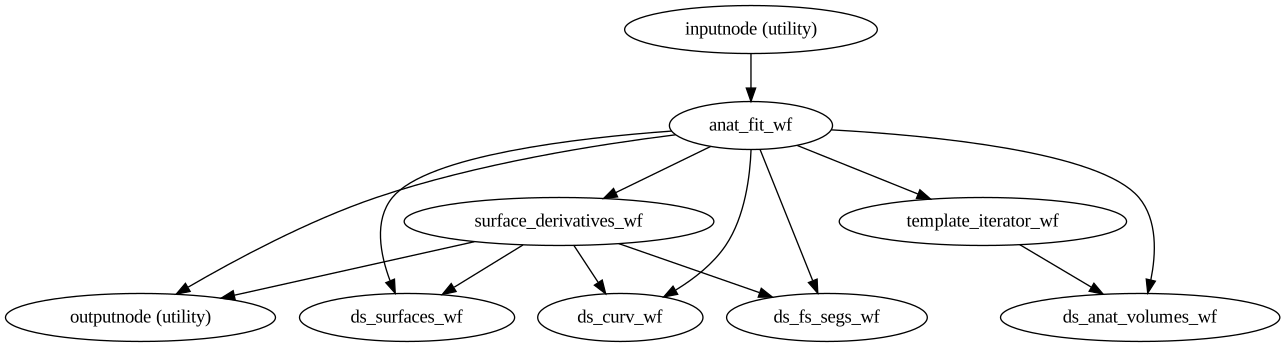
The anatomical sub-workflow begins by constructing an average image by conforming all found T1w images to RAS orientation and a common voxel size, and, in the case of multiple images, averages them into a single reference template (see Longitudinal processing).
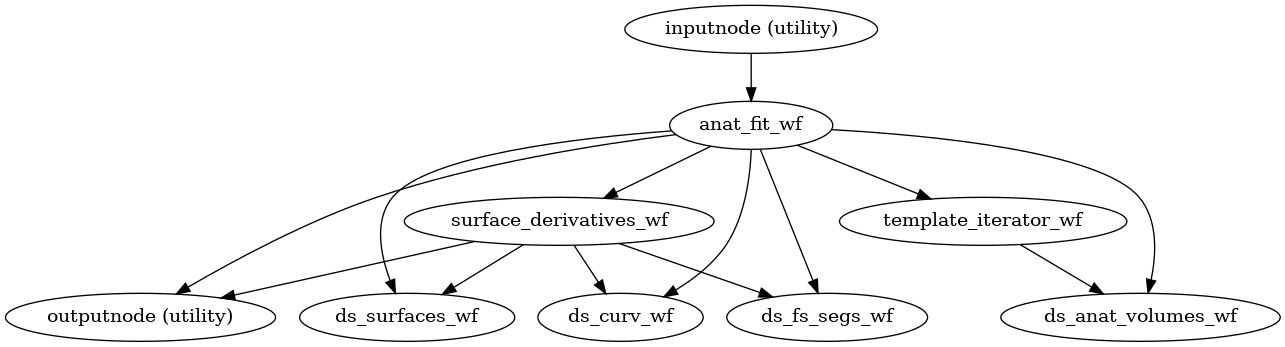
(Source code, png, svg, pdf)
Important
Occasionally, openly shared datasets may contain preprocessed anatomical images
as if they are unprocessed.
In the case of brain-extracted (skull-stripped) T1w images, attempting to perform
brain extraction again will often have poor results and may cause PETPrep to crash.
PETPrep can attempt to detect these cases using a heuristic to check if the
T1w image is already masked.
This must be explicitly requested with --skull-strip-t1w auto.
If this heuristic fails, and you know your images are skull-stripped, you can skip brain
extraction with --skull-strip-t1w skip.
Likewise, if you know your images are not skull-stripped and the heuristic incorrectly
determines that they are, you can force skull stripping with --skull-strip-t1w force,
which is the current default behavior.
See also sMRIPrep’s
init_anat_preproc_wf().
Brain extraction, brain tissue segmentation and spatial normalization
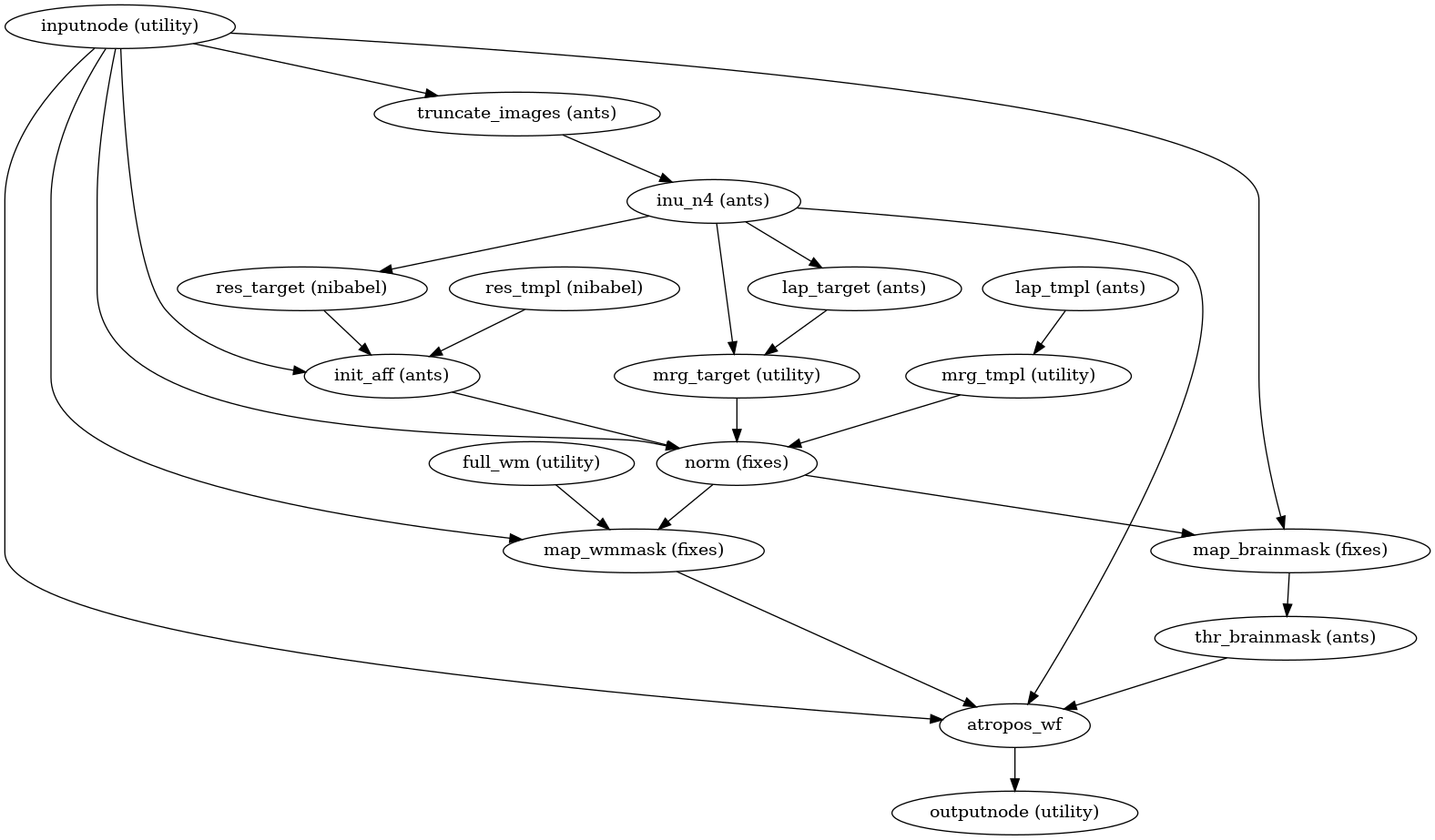
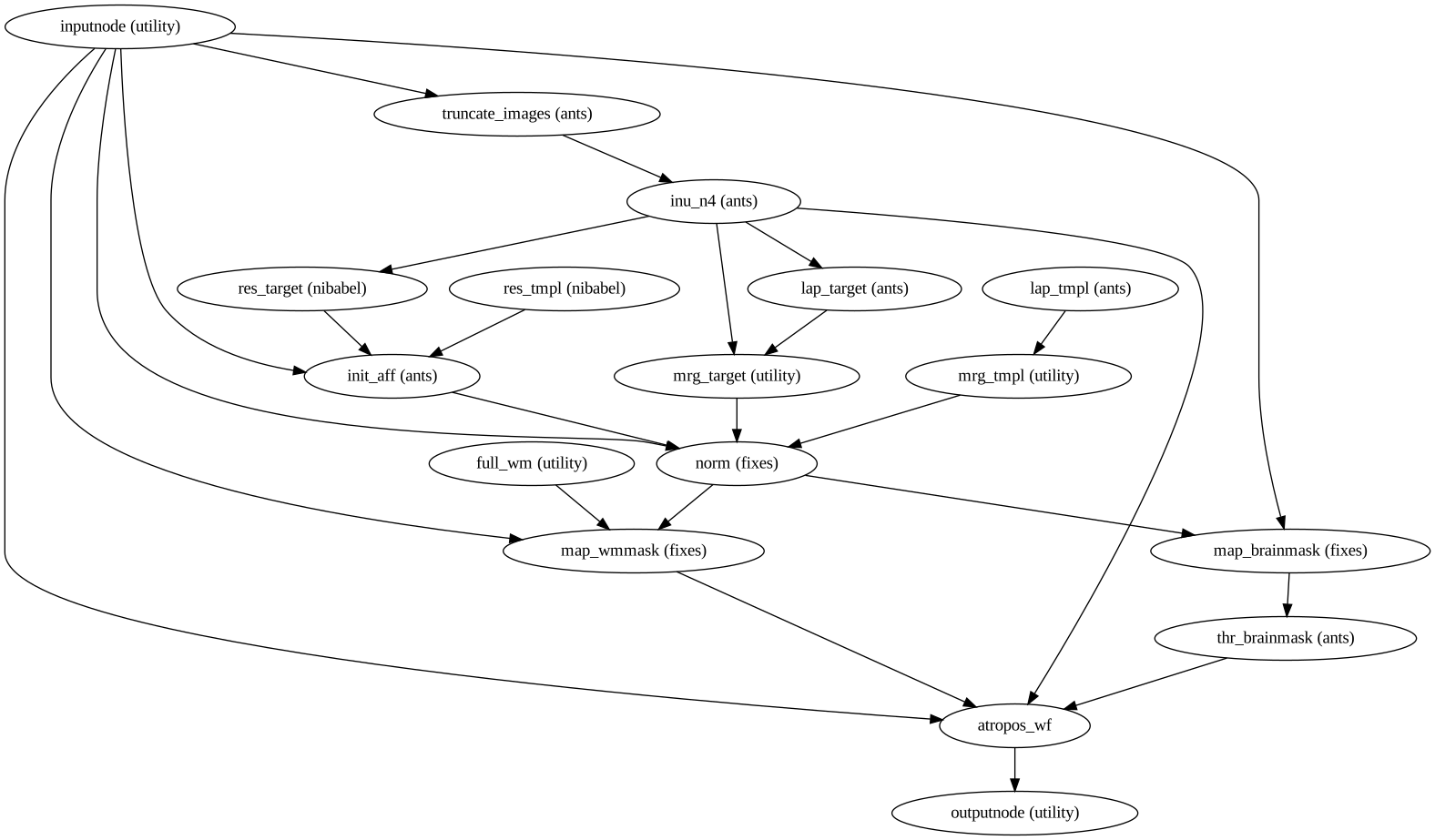
Then, the T1w reference is skull-stripped using a Nipype implementation of
the antsBrainExtraction.sh tool (ANTs), which is an atlas-based
brain extraction workflow:
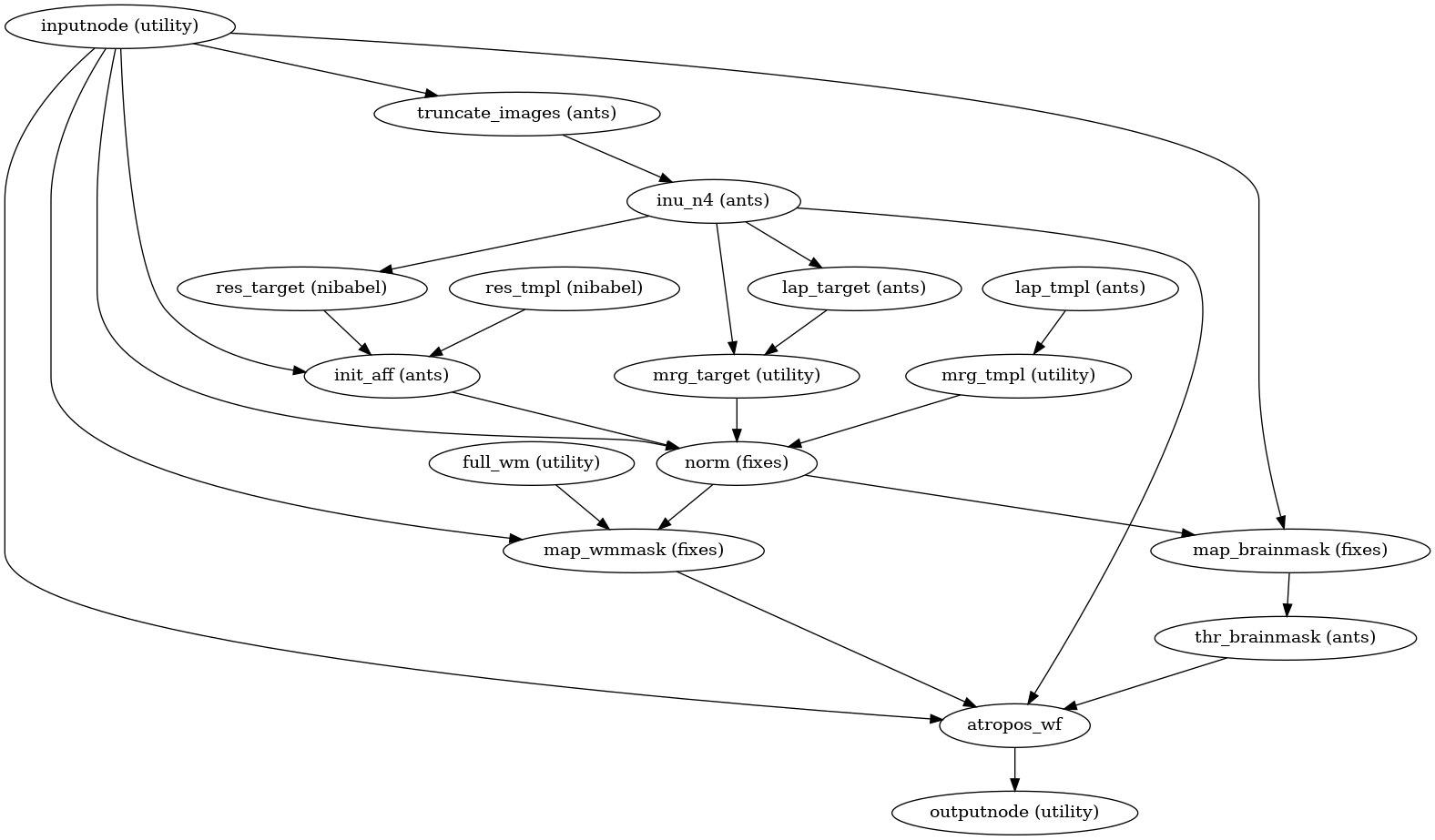
(Source code, png, svg, pdf)
Once the brain mask is computed, FSL fast is utilized for brain tissue segmentation.
PETPrep includes a single figure overlaying the brain mask (red), and tissue boundaries (blue = gray/white; magenta = tissue/CSF):

Brain extraction and segmentation report
Finally, spatial normalization to standard spaces is performed using ANTs’ antsRegistration
in a multiscale, mutual-information based, nonlinear registration scheme.
See Defining standard and nonstandard spaces where data will be resampled for information about how standard and nonstandard spaces can
be set to resample the preprocessed data onto the final output spaces.
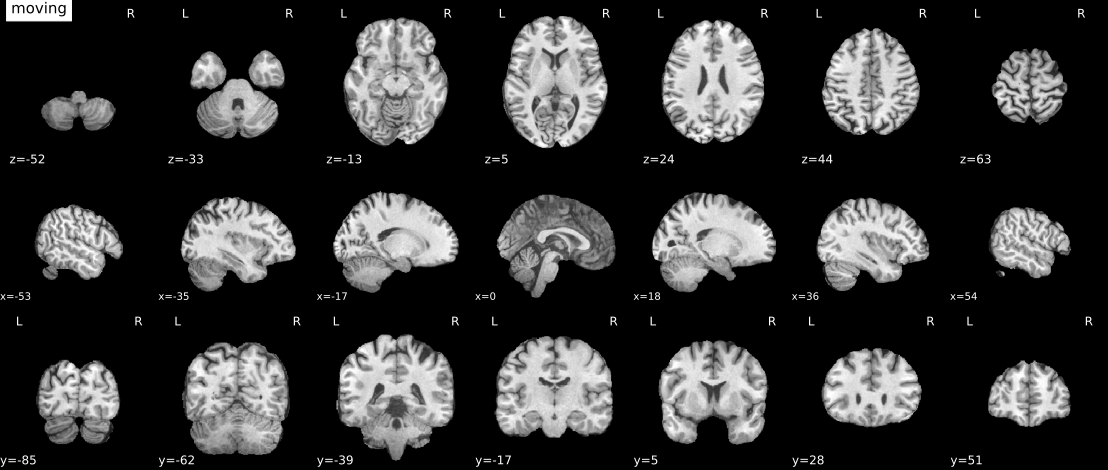
Animation showing spatial normalization of T1w onto the MNI152NLin2009cAsym template.
Cost function masking during spatial normalization
When processing images from patients with focal brain lesions (e.g., stroke, tumor
resection), it is possible to provide a lesion mask to be used during spatial
normalization to standard space [Brett2001].
ANTs will use this mask to minimize warping of healthy tissue into damaged
areas (or vice-versa).
Lesion masks should be binary NIfTI images (damaged areas = 1, everywhere else = 0)
in the same space and resolution as the T1w image, and use the _roi suffix,
for example, sub-001_label-lesion_roi.nii.gz.
This file should be placed in the sub-*/anat directory of the BIDS dataset
to be run through PETPrep.
Because lesion masks are not currently part of the BIDS specification, it is also necessary to
include a .bidsignore file in the root of your dataset directory. This will prevent
bids-validator from complaining
that your dataset is not valid BIDS, which prevents PETPrep from running.
Your .bidsignore file should include the following line:
*lesion_roi.nii.gz
Note
The lesion masking instructions in this section predate the release of BIDS Derivatives. As of BIDS 1.4.0, the recommended naming convention is:
manual_masks/
└─ sub-001/
   └─ anat/
      ├─ sub-001_desc-tumor_mask.nii.gz
      └─ sub-001_desc-tumor_mask.json
In an upcoming version of PETPrep, we will search for lesion masks as pre-computed
derivatives. Until this is supported, we will continue to look for the _roi suffix.
Longitudinal processing
In the case of multiple T1w images (across sessions and/or runs), PETPrep provides a few choices on how to generate the reference anatomical space.
If --subject-anatomical-reference first-lex is used, all T1w images are
merged into a single template image using FreeSurfer’s mri_robust_template,
aligned to the first image (determined lexicographically by session label).
This is the default behavior.
If --subject-anatomical-reference unbiased is used, all T1w images are
merged into an unbiased template, equidistant from all source images.
For two images, the additional cost of estimating an unbiased template is trivial,
but aligning three or more images is too expensive to justify being the default behavior.
If --subject-anatomical-reference sessionwise is used, a reference template
will be generated for each session independently. If multiple T1w images are
found within a session, the images will be aligned to the first image, sorted
lexicographically, from that session.
The deprecated --longitudinal flag remains available as an alias for
--subject-anatomical-reference unbiased.
Note
The preprocessed T1w image defines the T1w space.
In the case of multiple T1w images, this space may not be precisely aligned
with any of the original images.
Reconstructed surfaces and PET datasets will be registered to the
T1w space, and not to the input images.
Surface preprocessing
PETPrep uses FreeSurfer to reconstruct surfaces from T1w/T2w
structural images.
If enabled, several steps in the PETPrep pipeline are added or replaced.
All surface preprocessing may be disabled with the --fs-no-reconall flag.
Note
Surface processing will be skipped if the outputs already exist.
In order to bypass reconstruction in PETPrep, place existing reconstructed
subjects in <output dir>/sourcedata/freesurfer prior to the run, or specify
an external subjects directory with the --fs-subjects-dir flag.
PETPrep will perform any missing recon-all steps, but will not perform
any steps whose outputs already exist.
If FreeSurfer reconstruction is performed, the reconstructed subject is placed in
<output dir>/sourcedata/freesurfer/sub-<subject_label>/ (see FreeSurfer derivatives).
Surface reconstruction is performed in three phases.
The first phase initializes the subject with T1w and T2w (if available)
structural images and performs basic reconstruction (autorecon1) with the
exception of skull-stripping.
Skull-stripping is skipped since the brain mask calculated previously is injected into the appropriate location for FreeSurfer.
For example, a subject with only one session with T1w and T2w images
would be processed by the following command:
$ recon-all -sd <output dir>/freesurfer -subjid sub-<subject_label> \
    -i <bids-root>/sub-<subject_label>/anat/sub-<subject_label>_T1w.nii.gz \
    -T2 <bids-root>/sub-<subject_label>/anat/sub-<subject_label>_T2w.nii.gz \
    -autorecon1 \
    -noskullstrip
The second phase imports the brainmask calculated in the
Preprocessing of structural MRI sub-workflow.
The final phase resumes reconstruction, using the T2w image to assist
in finding the pial surface, if available.
See init_autorecon_resume_wf() for
details.
Reconstructed white and pial surfaces are included in the report.
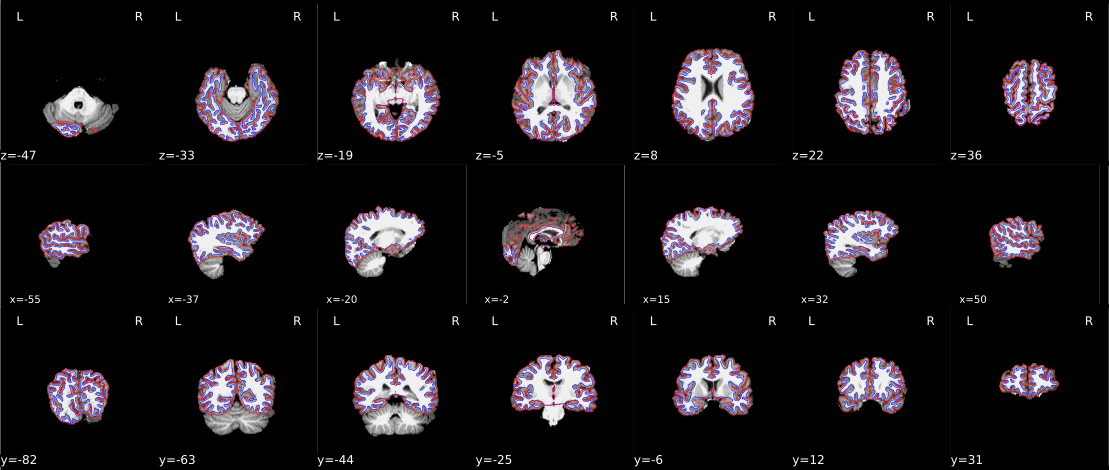
Surface reconstruction (FreeSurfer)
FreeSurfer submillimeter reconstruction is disabled by default in PETPrep
because PET resampling and GTM time-activity-curve extraction can become very
memory intensive on submillimeter anatomical grids. Use --submm-recon to opt
in for T1w images with voxel sizes less than 1mm in all dimensions (rounding to
nearest .1mm). The --no-submm-recon flag may be used to explicitly keep this
default behavior.
If T2w or FLAIR images are available, and you do not want them included in
FreeSurfer reconstruction, use --ignore t2w or --ignore flair,
respectively.
lh.midthickness and rh.midthickness surfaces are created in the subject
surf/ directory, corresponding to the surface half-way between the gray/white
boundary and the pial surface.
The smoothwm, midthickness, pial and inflated surfaces are also
converted to GIFTI format and adjusted to be compatible with multiple software
packages, including FreeSurfer and the Connectome Workbench.
Note
GIFTI surface outputs are aligned to the FreeSurfer T1.mgz image, which
may differ from the T1w space in some cases, to maintain compatibility
with the FreeSurfer directory.
Any measures sampled to the surface take into account any difference in
these images.
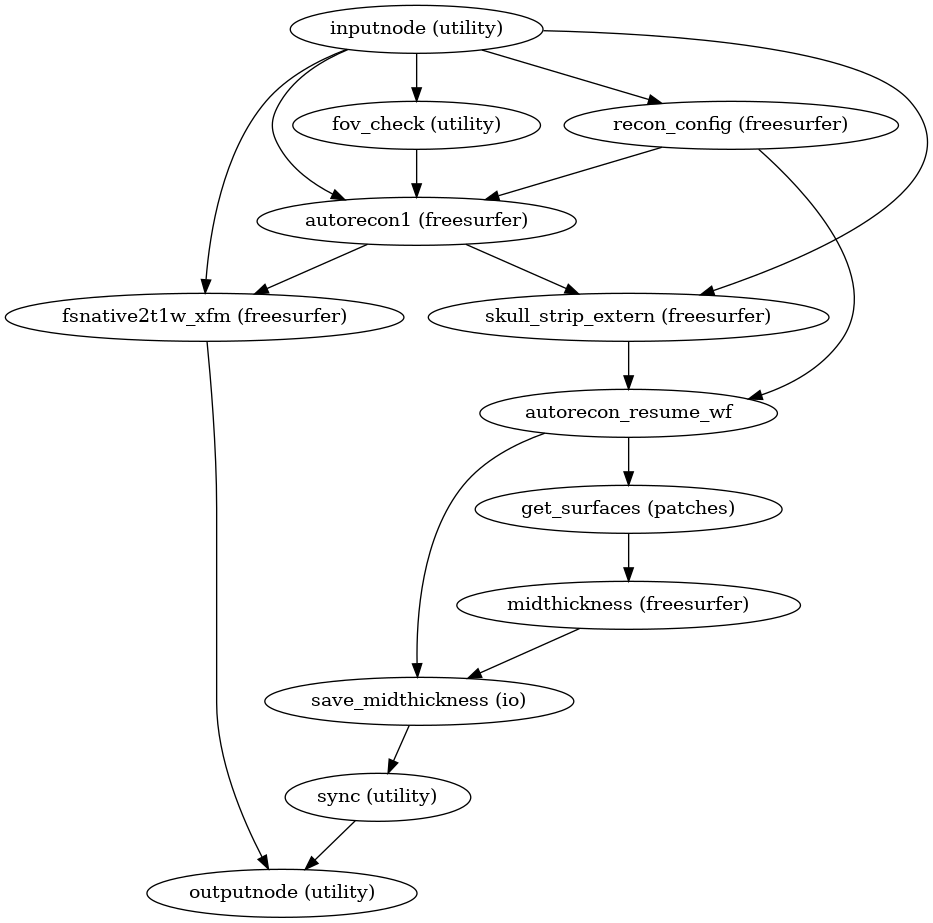
(Source code, png, svg, pdf)
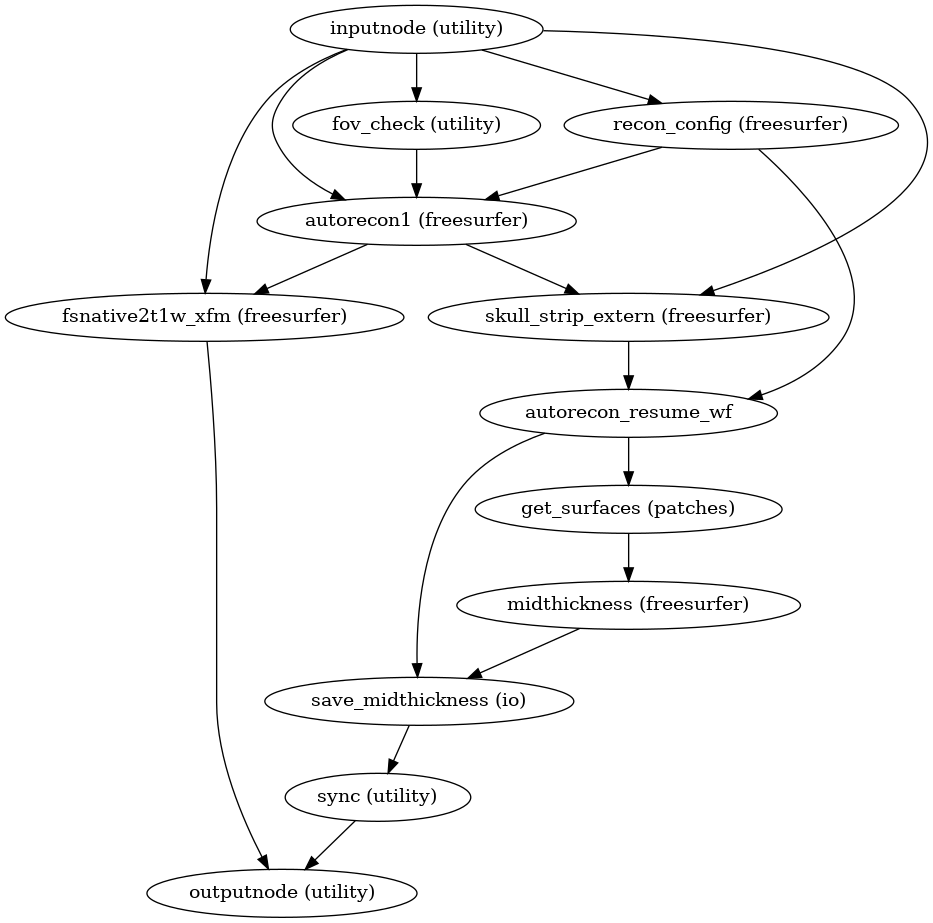
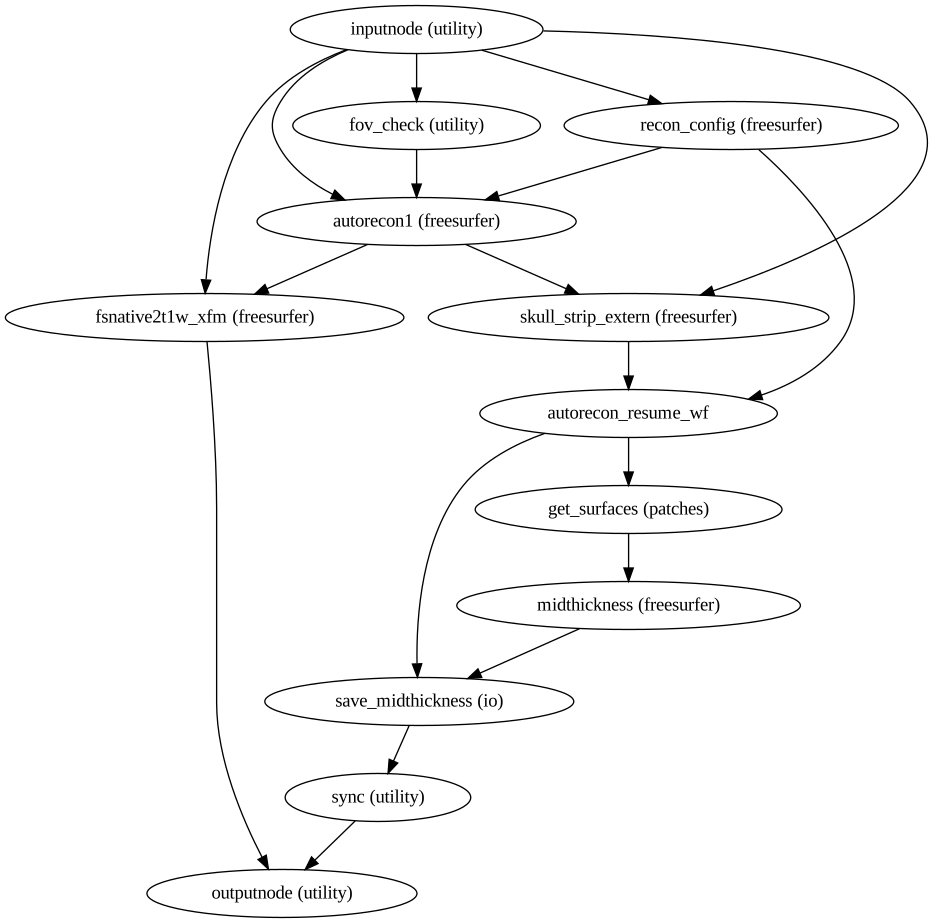
See also sMRIPrep’s
init_surface_recon_wf()
Refinement of the brain mask
Typically, the original brain mask calculated with antsBrainExtraction.sh
will contain some inaccuracies including small amounts of MR signal from
outside the brain.
Based on the tissue segmentation of FreeSurfer (located in mri/aseg.mgz)
and only when the Surface Processing step has been
executed, PETPrep replaces the brain mask with a refined one that derives
from the aseg.mgz file as described in
RefineBrainMask.
PET preprocessing
PETPrep performs a series of steps to preprocess PET data. Broadly, these are split into fit and transform stages. Stage 1 simultaneously estimates head motion and the reference image.
The following figures show the overall workflow graph and the pet_fit_wf
subgraph:
init_pet_fit_wf()
Preprocessing of PET files is split into multiple sub-workflows described below.
PET reference image estimation
init_raw_petref_wf()
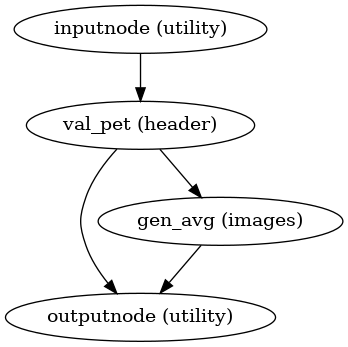
(Source code, png, svg, pdf)
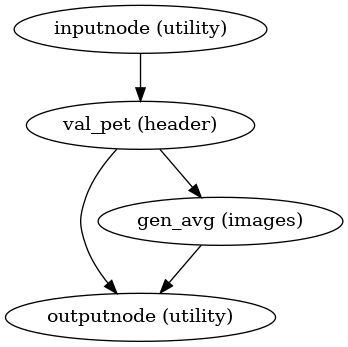
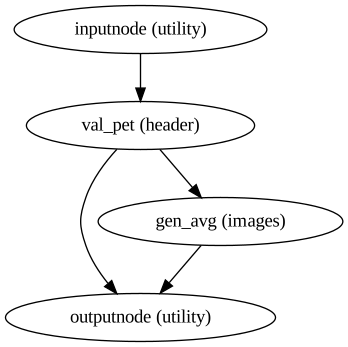
This workflow estimates a reference image for a
PET series according to the strategy
requested with --petref:
auto(default) evaluates all candidate reference strategies and selects the option that yields the strongest PET-to-T1w registration score.templateuses the motion-correction template built during head-motion estimation. When head-motion correction is disabled,templateautomatically falls back totwawhile emitting a warning.twacomputes a time-weighted average of the motion-corrected series, preserving dynamic information when later frames carry more counts.sumproduces a summed image of the motion-corrected series.first5minweights only the first five minutes of the acquisition, which can be helpful for tracers whose early dynamics resemble perfusion. During automatic reference selection, the workflow falls back to the first frame if no frames overlap the initial 5-minute window.
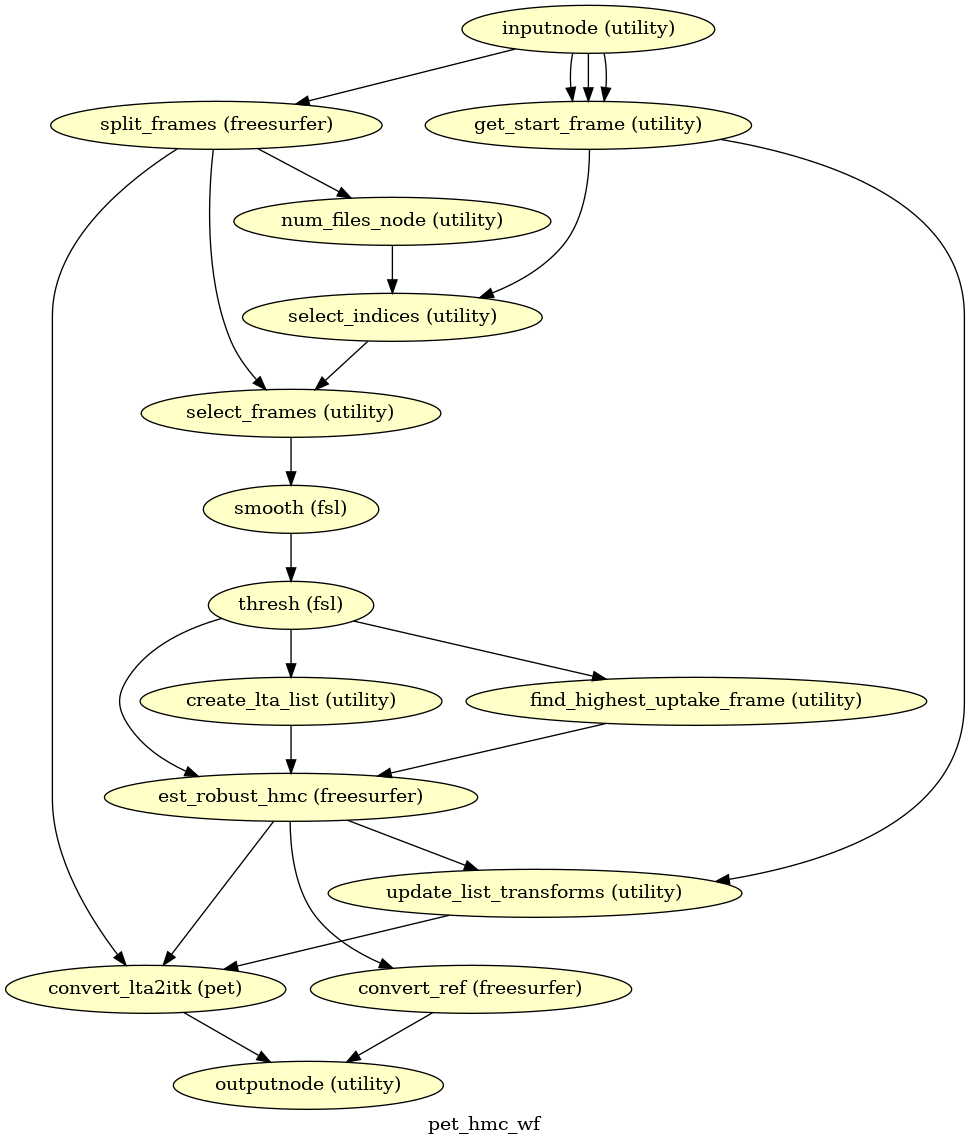
Head-motion estimation
(Source code, png, svg, pdf)
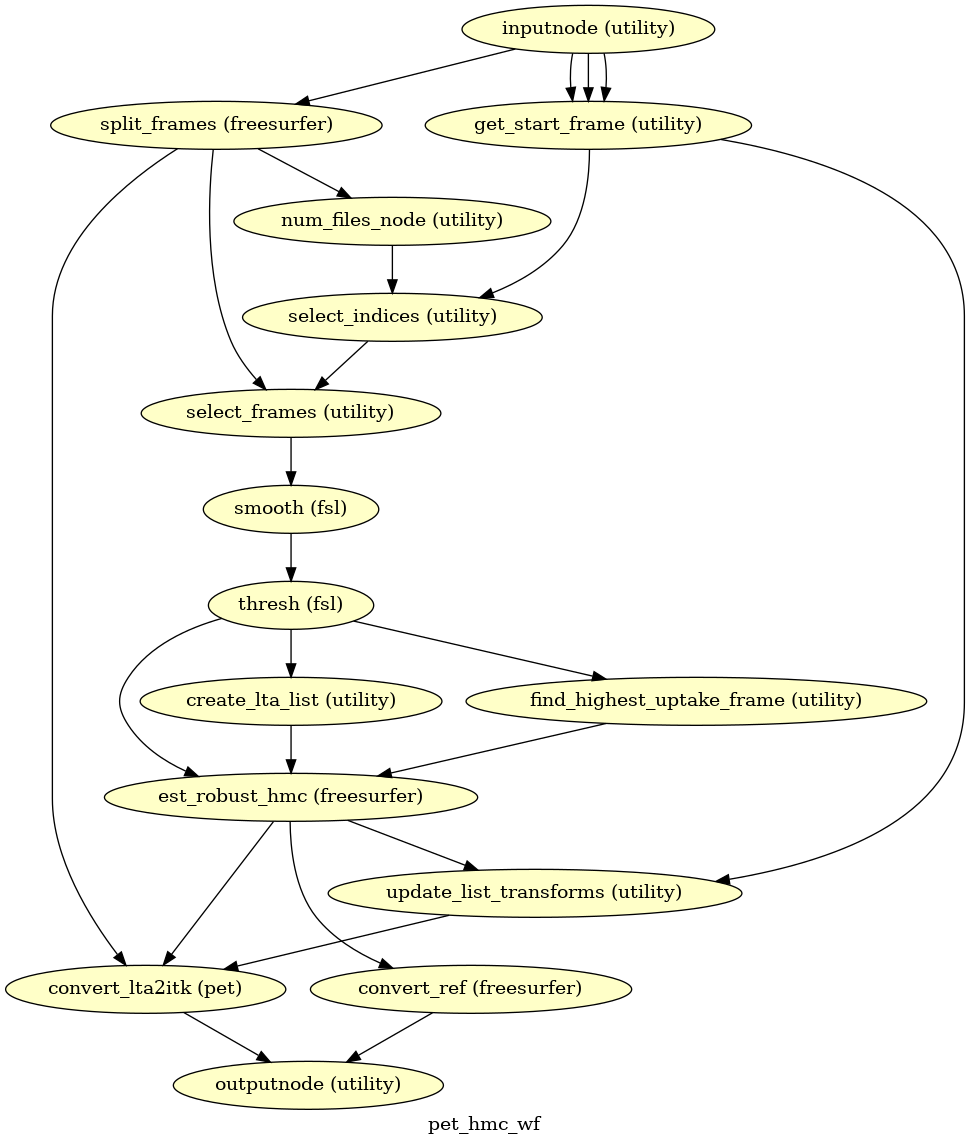
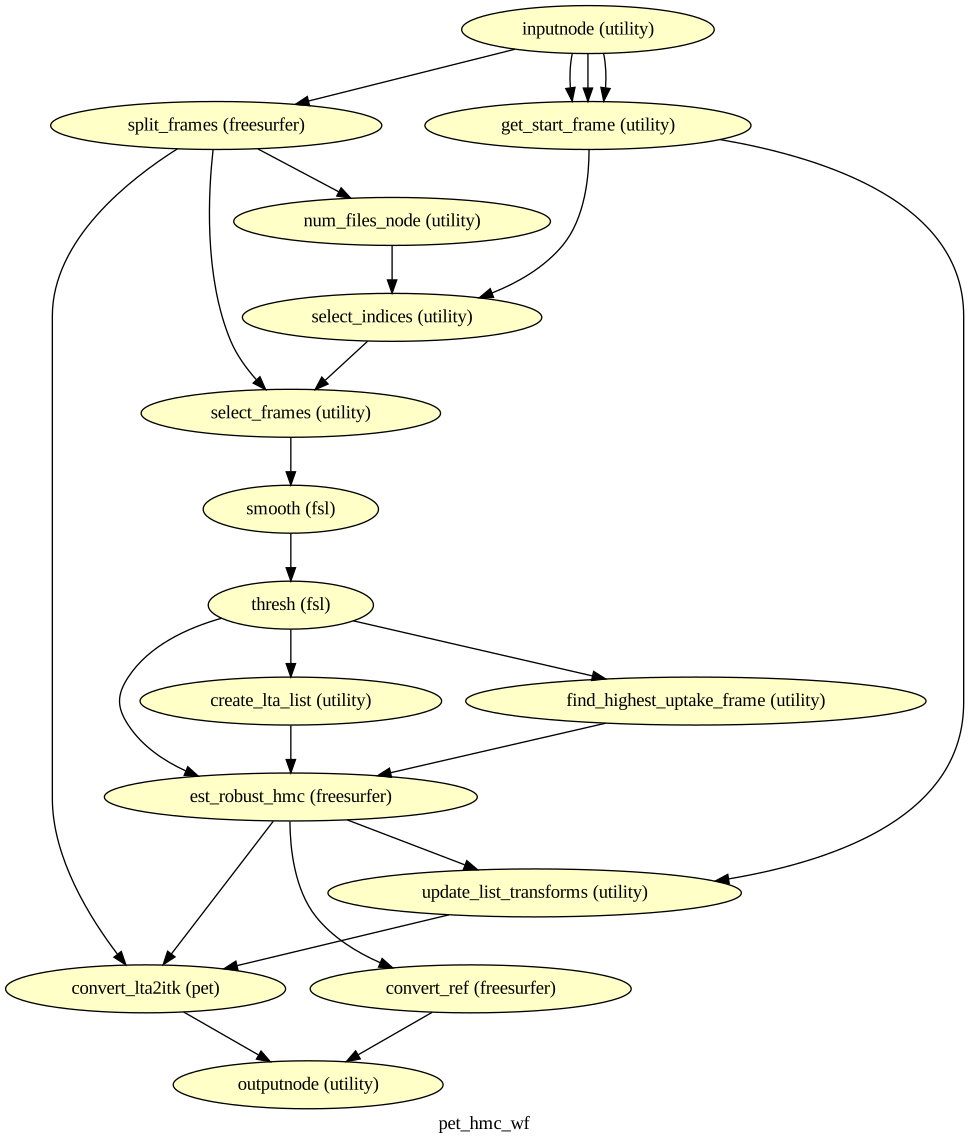
Using the previously estimated reference scan,
a robust-template approach estimates head motion.
All frames are aligned to one another with FreeSurfer’s
mri_robust_template and mri_robust_register to create a
within-run template and compute rigid-body transforms for every
PET volume.
The resulting transforms and the six rotation and translation
parameters for each time-step are passed on to the
confounds workflow.
The smoothing kernel width and onset of motion estimation can be
customized via the --hmc-fwhm and --hmc-start-time
command line options. By default, PETPrep initializes registration with
the frame showing the highest tracer uptake after this start time. An
explicit zero-based frame index can be provided with
--hmc-init-frame. Adding --hmc-init-frame-fix keeps the chosen
frame fixed during robust template estimation and disables iterations to
reduce runtime. A 10 mm FWHM Gaussian is applied and estimation begins at
120 s unless otherwise specified.
Pre-processed PET in native space
init_pet_native_wf()
A new preproc PET series is generated from the original data in the original space. All volumes in the PET series are resampled in their native space by concatenating the mappings found in previous correction workflows (HMC) for a one-shot interpolation process. Interpolation uses cubic B-spline interpolation.
PET to T1w registration
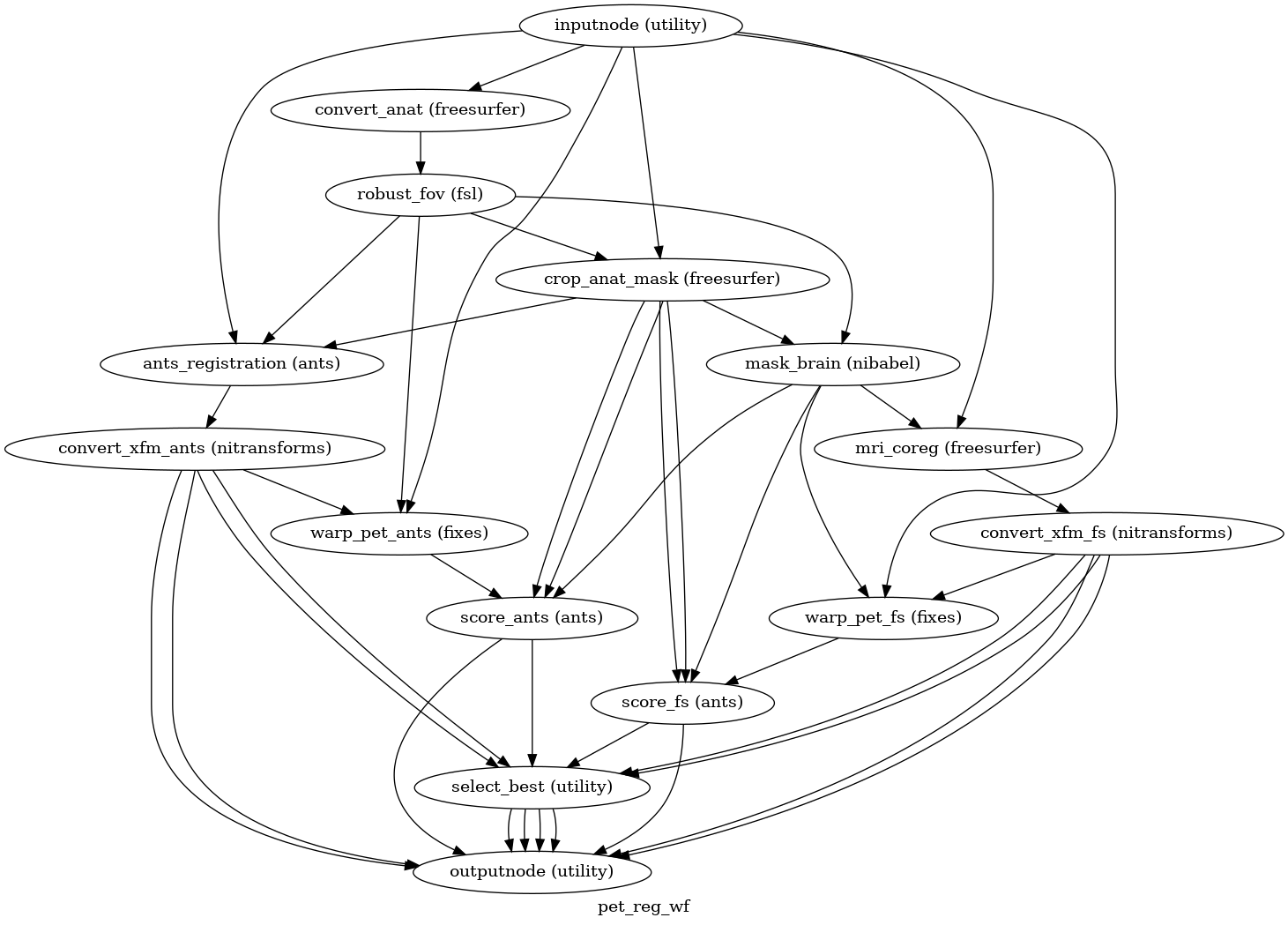
(Source code, png, svg, pdf)
The PET reference volume is aligned to the skull-stripped anatomical image
using the method selected via --pet2anat-method. The anatomical image
is first cropped with FSL’s robustfov and masked to focus the alignment on
brain tissue (ANTs receives the unmasked cropped image together with its mask).
Use --pet2anat-no-anat-crop to bypass anatomical robustfov and
register against the full anatomical field of view. In auto mode, when
cropping is enabled and all cropped registration scores are weak for a PET
reference, PETPrep evaluates an uncropped anatomical fallback and keeps it if the
score improves; disabling anatomical cropping also disables this crop-triggered
fallback.
By default, the workflow runs auto mode (--pet2anat-method auto),
which executes both FreeSurfer and ANTs registrations in parallel, applies the
resulting transforms to the PET reference, computes a similarity score within
the T1w brain mask, and selects the best-performing transform. Alternative
manual modes include FreeSurfer’s mri_coreg
(--pet2anat-method mri_coreg), FreeSurfer’s mri_robust_register
(--pet2anat-method robust), and ANTs rigid registration
(--pet2anat-method ants). The robust and ants options are limited
to rigid-body alignment (6 DoF). The resulting affine is converted to ITK format for downstream
application, along with its inverse.
Resampling PET runs onto standard spaces
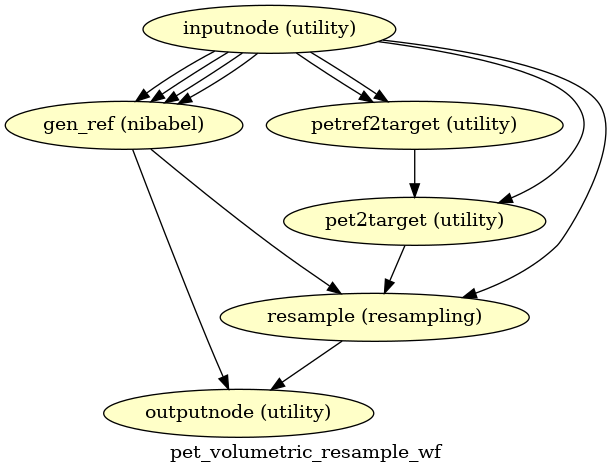
init_pet_volumetric_resample_wf()
(Source code, png, svg, pdf)
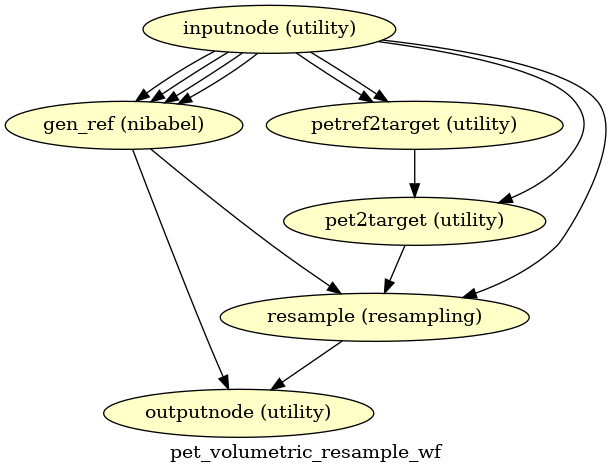
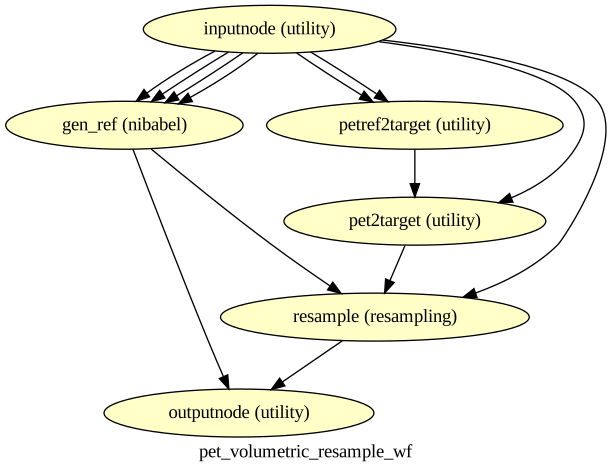
This sub-workflow concatenates the transforms calculated upstream (see
Head-motion estimation, PET to T1w registration, and an anatomical-to-standard
transform from Preprocessing of structural MRI) to map the
PET series from native space to
the standard spaces given by the --output-spaces argument
(see Defining standard and nonstandard spaces where data will be resampled).
It also maps the T1w-based mask to each of those standard spaces.
Transforms are concatenated and applied all at once, with one cubic B-spline interpolation step, so as little information is lost as possible.
The output space grid can be specified using modifiers to the --output-spaces
argument.
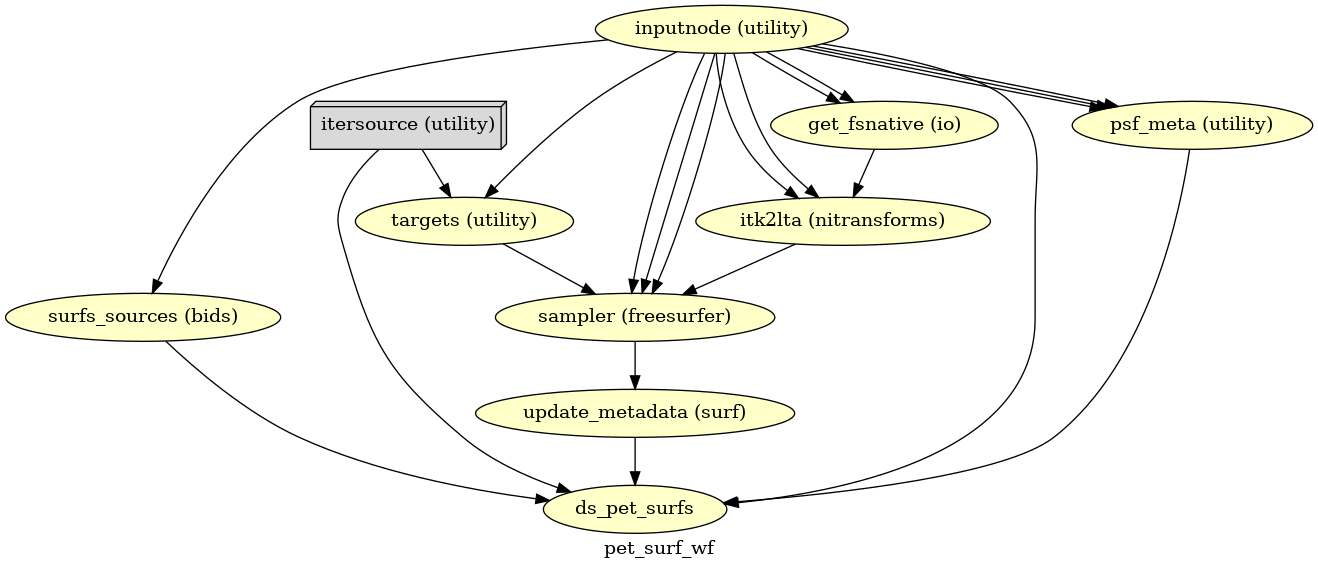
PET sampled to FreeSurfer surfaces
(Source code, png, svg, pdf)
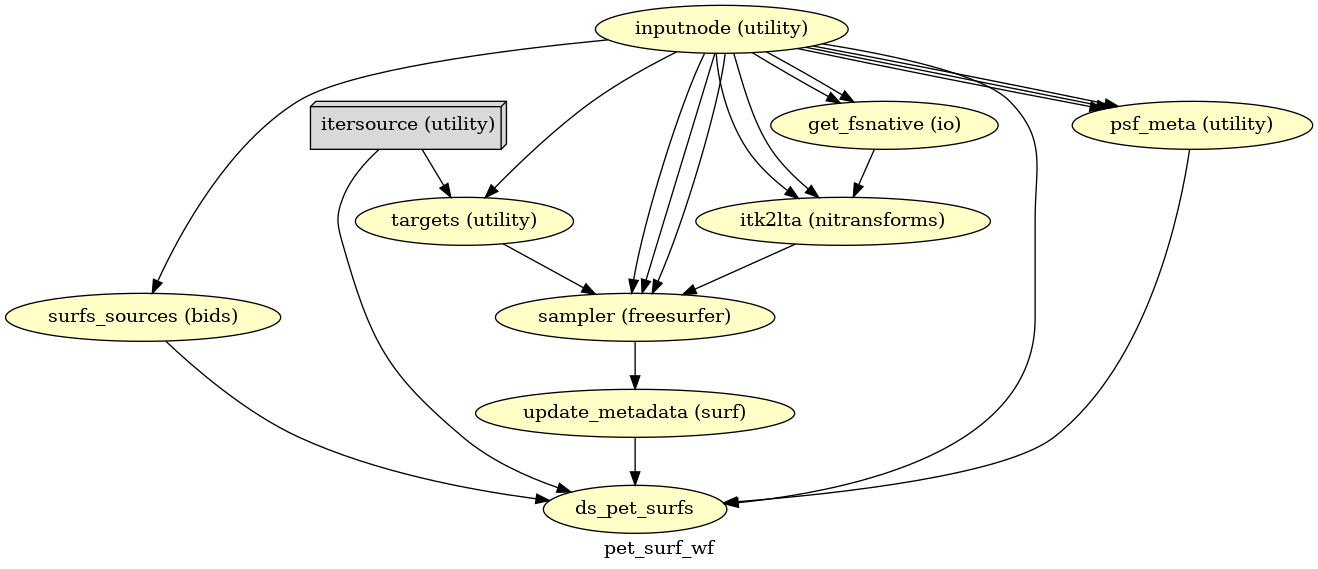
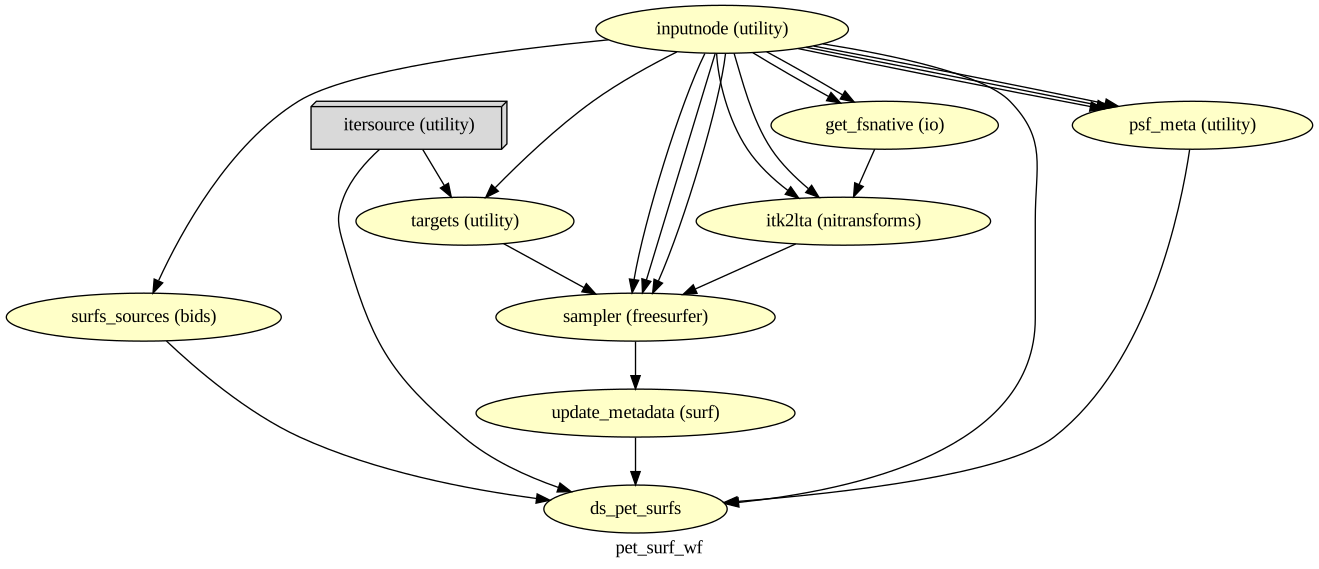
If FreeSurfer processing is enabled, the motion-corrected PET series (after single shot resampling to T1w space) is sampled to the surface by averaging across the cortical ribbon. Specifically, at each vertex, the segment normal to the white-matter surface, extending to the pial surface, is sampled at 6 intervals and averaged.
Surfaces are generated for the “subject native” surface, as well as transformed to the
fsaverage template space.
All surface outputs are in GIFTI format.
HCP Grayordinates
(Source code, png, svg, pdf)
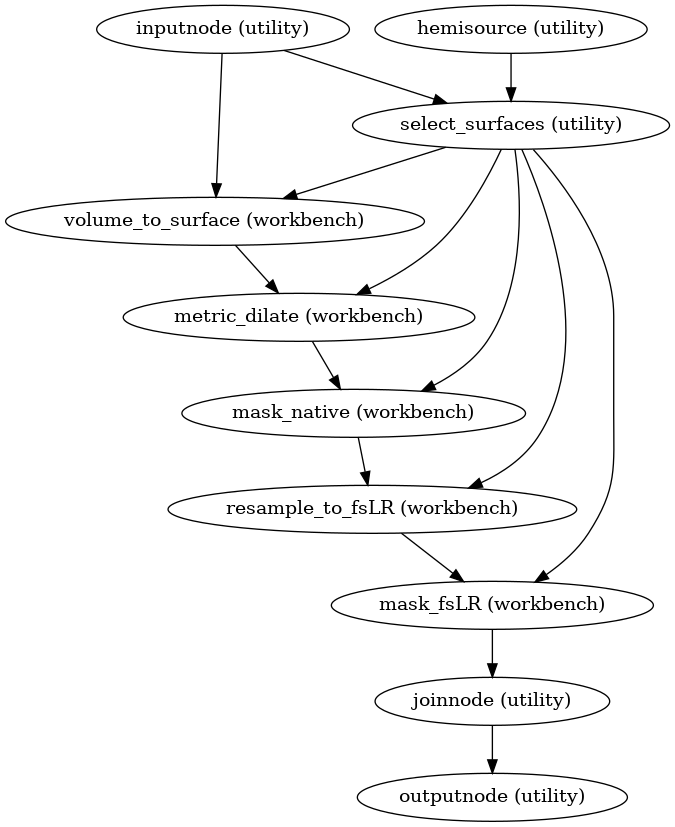
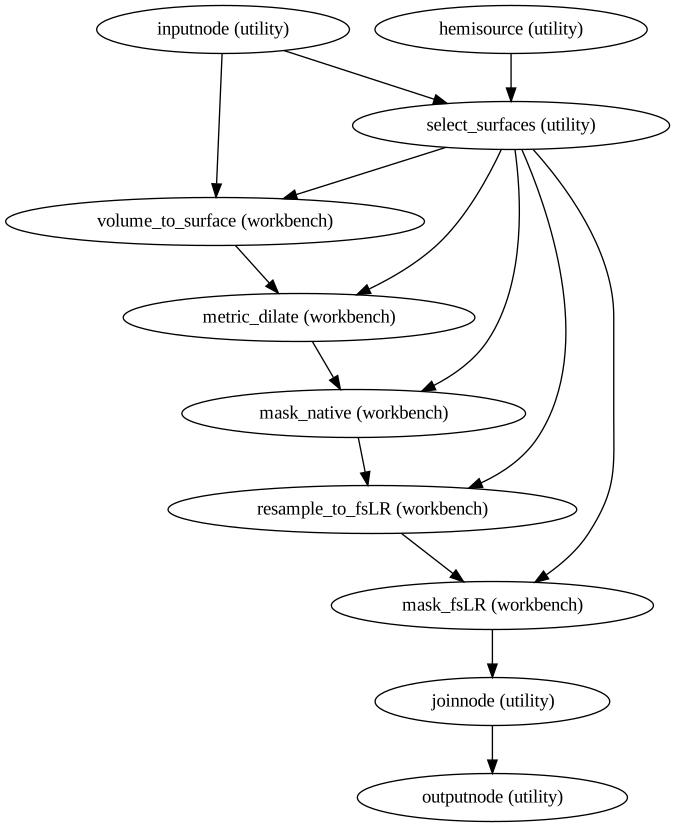
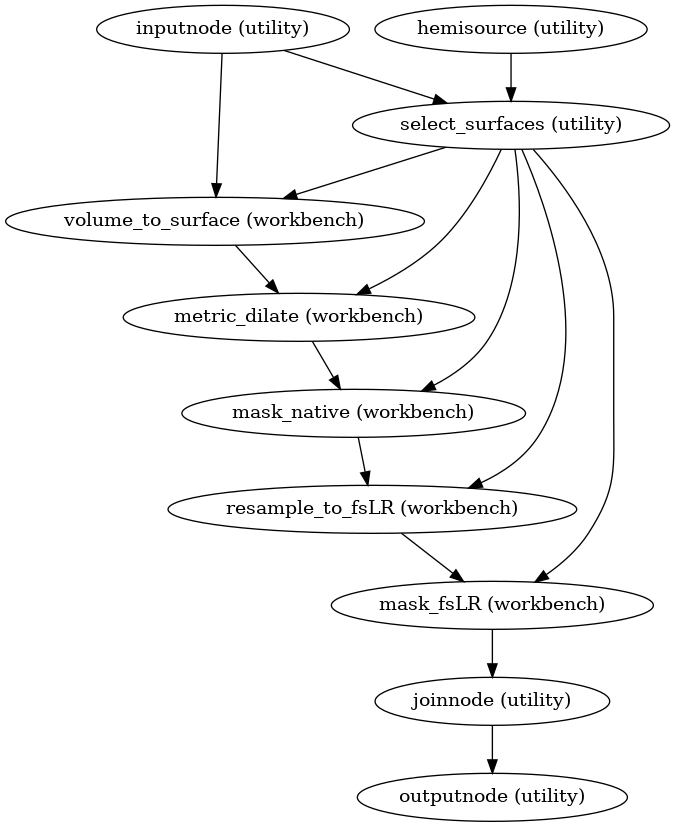
If CIFTI output is enabled, the motion-corrected PET timeseries (in T1w space) is
resampled onto the subject-native surface, optionally using the HCP Pipelines’s
“goodvoxels” masking method to exclude voxels with local peaks of temporal variation.
After dilating the surface-sampled time series to fill sampling holes, the result is
resampled to the fsLR mesh (with the left and right hemisphere aligned).
These workflows make use of various Connectome Workbench functions.
These surfaces are then combined with corresponding volumetric timeseries to create a
CIFTI-2 file.
Segmentation workflows
init_segmentation_wf()
PETPrep ships with optional segmentation routines that can be selected via
the --seg command-line argument. Supported values include gtm (the
default), brainstem, thalamicNuclei, hippocampusAmygdala, wm,
raphe and limbic. Atlas-based segmentations may also be selected with
--seg; these include HOCPA, MASSP20 and the
Schaefer2018<N>Parcels7Networks and
Schaefer2018<N>Parcels17Networks variants described in Usage Notes.
Tool-based segmentations rely on pretrained models distributed with
petprep.data.segmentation. The first time a particular model is requested it
will be automatically downloaded to the PETPrep cache directory, so ensure
sufficient disk space is available. Atlas-based segmentations are warped from
their template space into the subject’s anatomical space; when an atlas is
selected, PETPrep automatically adds the atlas template to
--output-spaces. Each segmentation produces a labeled NIfTI image
seg-<seg>_dseg.nii.gz and a TSV table of region volumes
seg-<seg>_morph.tsv saved under the anat/ derivatives folder.
Reference masks generated via --ref-mask-name create a mask image and a
similar label-<name>_desc-ref_morph.tsv file. These TSVs share the same
columns as the segmentation morph tables: index, name and
volume-mm3.
For example, the raphe segmentation can be enabled with:
petprep run /data/bids /data/out --seg raphe
Resulting outputs will appear in sub-*/anat/ alongside the anatomical
derivatives and can be used in downstream analyses.
Confounds estimation
(Source code, png, svg, pdf)
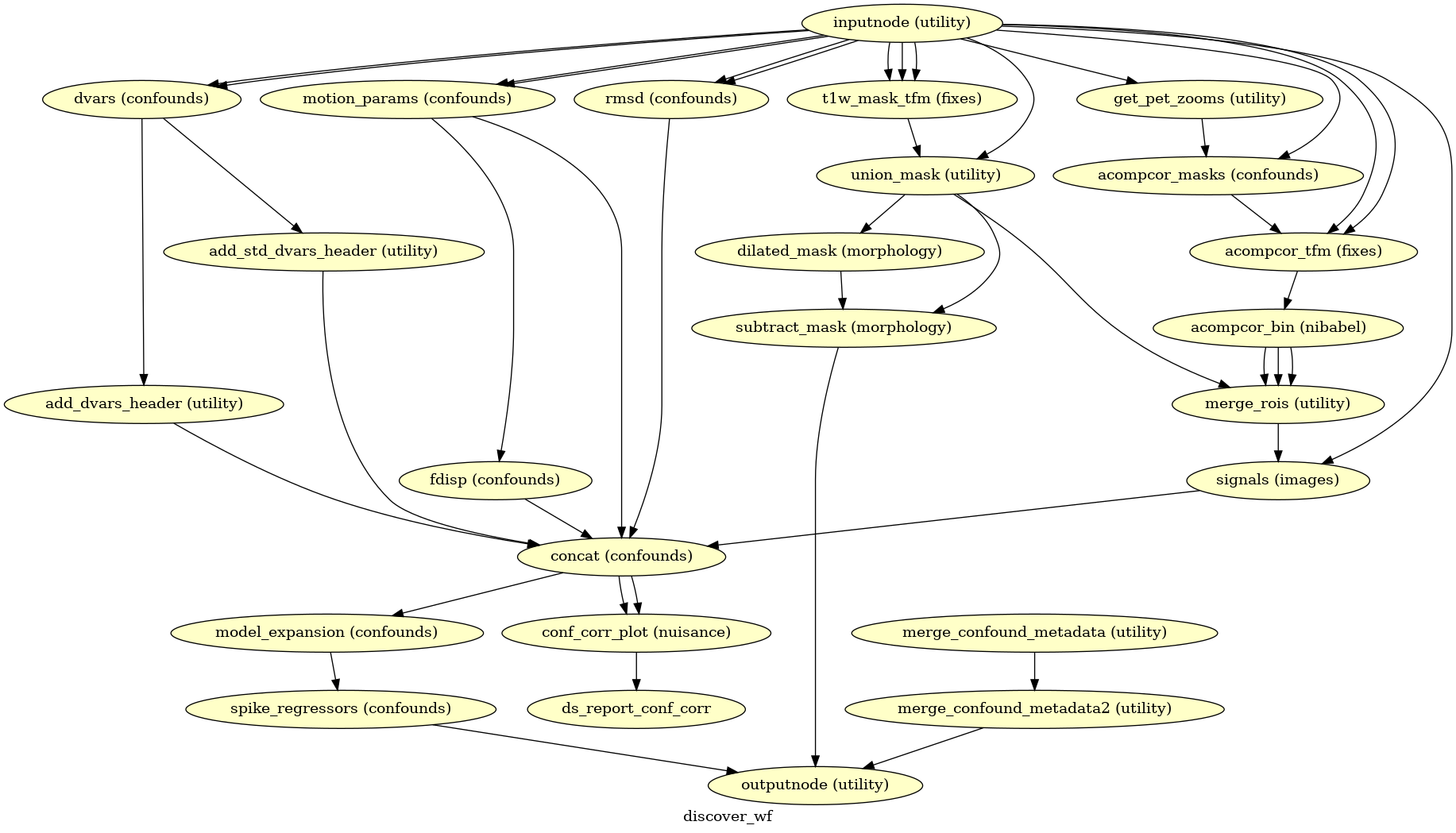
Given a motion-corrected PET, a brain mask, estimated motion parameters and a segmentation, the discover_wf sub-workflow calculates potential confounds per volume.
Calculated confounds include the mean global signal, mean tissue class signal, tCompCor, aCompCor, Frame-wise Displacement, 6 motion parameters, DVARS, and spike regressors.
Partial volume correction
init_pet_pvc_wf()
Partial volume correction (PVC) is a process that attempts to correct for the partial volume effects that occur when a single voxel contains multiple tissue types. This is particularly important in PET imaging, where the signal from different tissues (e.g., gray matter, white matter, and cerebrospinal fluid) can overlap within a voxel, leading to inaccurate quantification of tracer uptake.
PETPrep provides a PVC workflow using established tools such as PETPVC [Thomas2016] or
PETSurfer [Greve2014] [Greve2016]. PVC is enabled by providing
--pvc-tool, --pvc-method and --pvc-psf together. PETPVC provides
methods such as GTM, LABBE, RL, VC, RBV, LABBE+RBV,
RBV+VC, RBV+RL, LABBE+RBV+VC, LABBE+RBV+RL, STC, MTC,
LABBE+MTC, MTC+VC, MTC+RL, LABBE+MTC+VC, LABBE+MTC+RL,
IY, IY+VC, IY+RL, MG, MG+VC and MG+RL. PETSurfer
provides GTM, MG, RBV and AGTM.
The point spread function is supplied with --pvc-psf as either one FWHM
value or three values. PETSurfer PVC requires the gtm segmentation,
whereas PETPVC can use any PETPrep segmentation. When PVC is enabled, the
corrected PET series feeds the downstream resampling and output workflows, and
the filenames include the pvc-<method> entity.
References
Brett M, Leff AP, Rorden C, Ashburner J (2001) Spatial Normalization of Brain Images with Focal Lesions Using Cost Function Masking. NeuroImage 14(2) doi:10.006/nimg.2001.0845.
Thomas, B. A., Cuplov, V., Bousse, A., Mendes, A., Thielemans, K., Hutton, B. F., & Erlandsson, K. (2016). PETPVC: a toolbox for performing partial volume correction techniques in positron emission tomography. Physics in Medicine & Biology, 61(22), 7975.
Greve, D. N., Svarer, C., Fisher, P. M., Feng, L., Hansen, A. E., Baare, W., … & Knudsen, G. M. (2014). Cortical surface-based analysis reduces bias and variance in kinetic modeling of brain PET data. Neuroimage, 92, 225-236.
Greve, D. N., Salat, D. H., Bowen, S. L., Izquierdo-Garcia, D., Schultz, A. P., Catana, C., … & Johnson, K. A. (2016). Different partial volume correction methods lead to different conclusions: An 18 F-FDG-PET study of aging. NeuroImage, 132, 334-343.